Skip to content

Help Center

RestCore™ Help Center

Step-by-step guides, short how-to videos, and answers to common questions.

Coming soon as their guides grow: RestCore Connect · Books · Workforce · Compliance Watch

Help Center › Getting Started

Find the right conversation in your Inbox

A 30-second how-to with the steps and screenshots below.

In this guide

  1. 1Open your Inbox and choose a tab.
  2. 2Customers and Jobs separate those conversations.
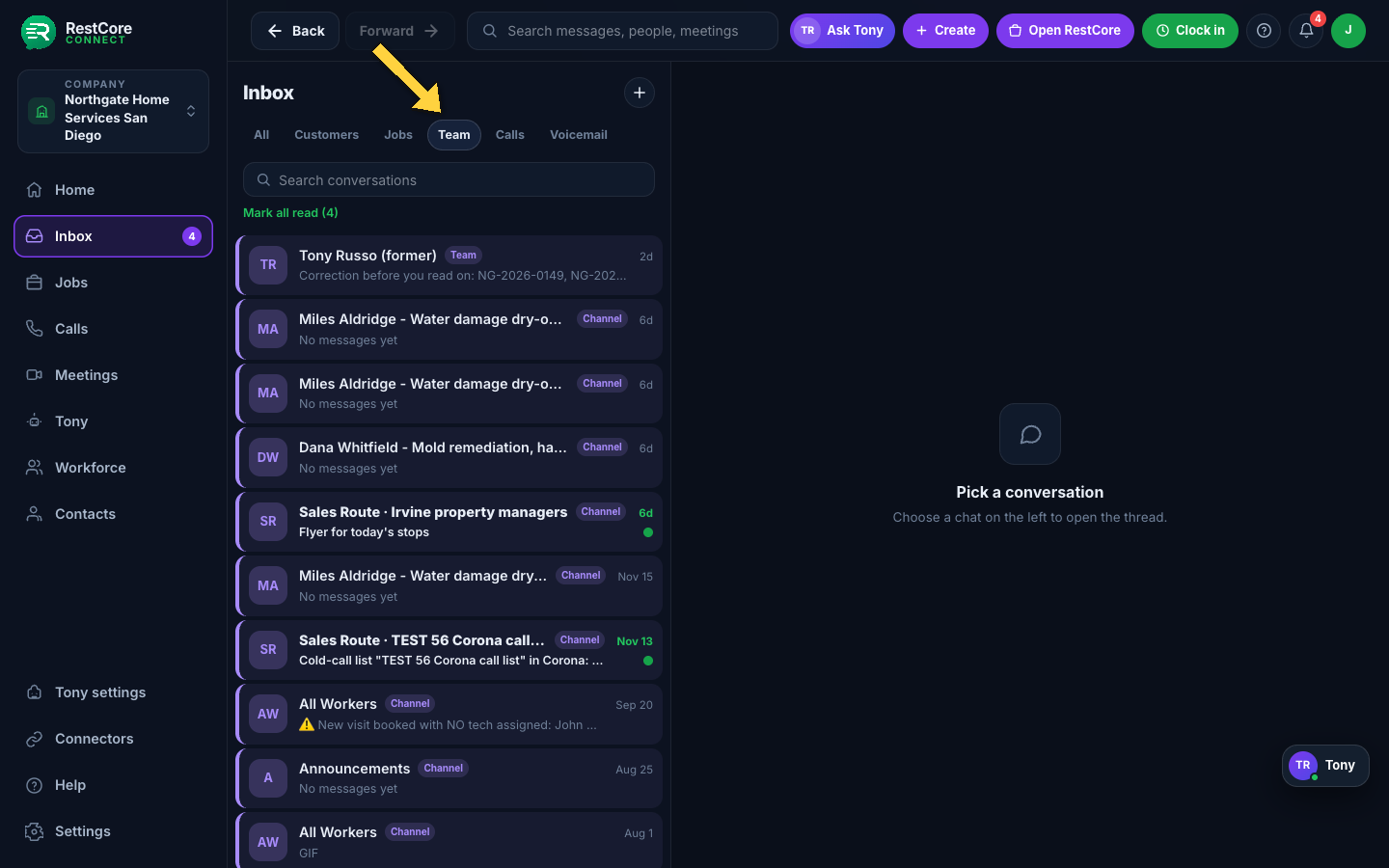
  3. 3Team and Calls have their own views.
  4. 4Use Voicemail for voicemail messages.
  5. 5Open a conversation and check who is in it.

1Open your Inbox and choose a tab
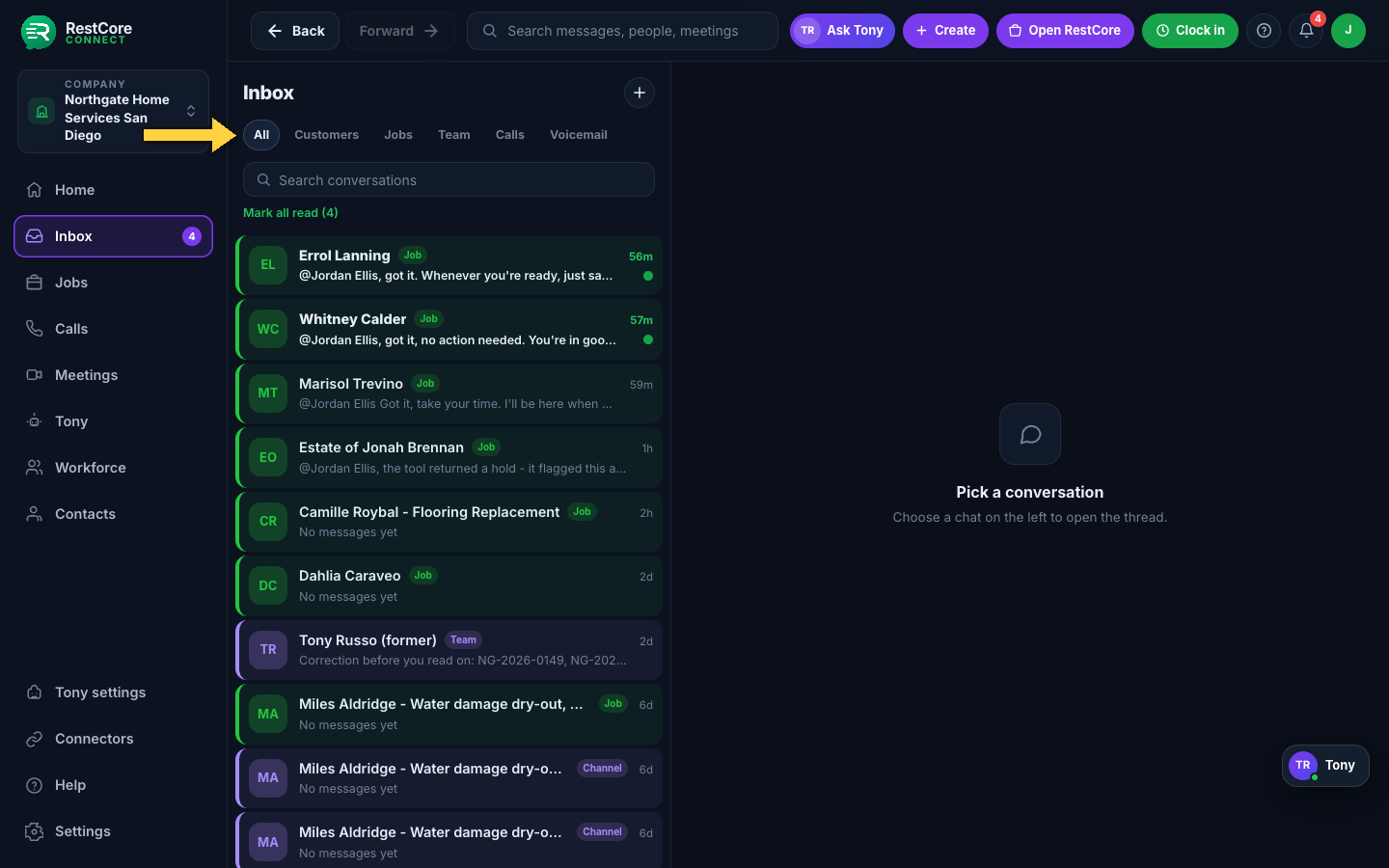
Step 1: Open your Inbox and choose a tab.

2Customers and Jobs separate those conversations
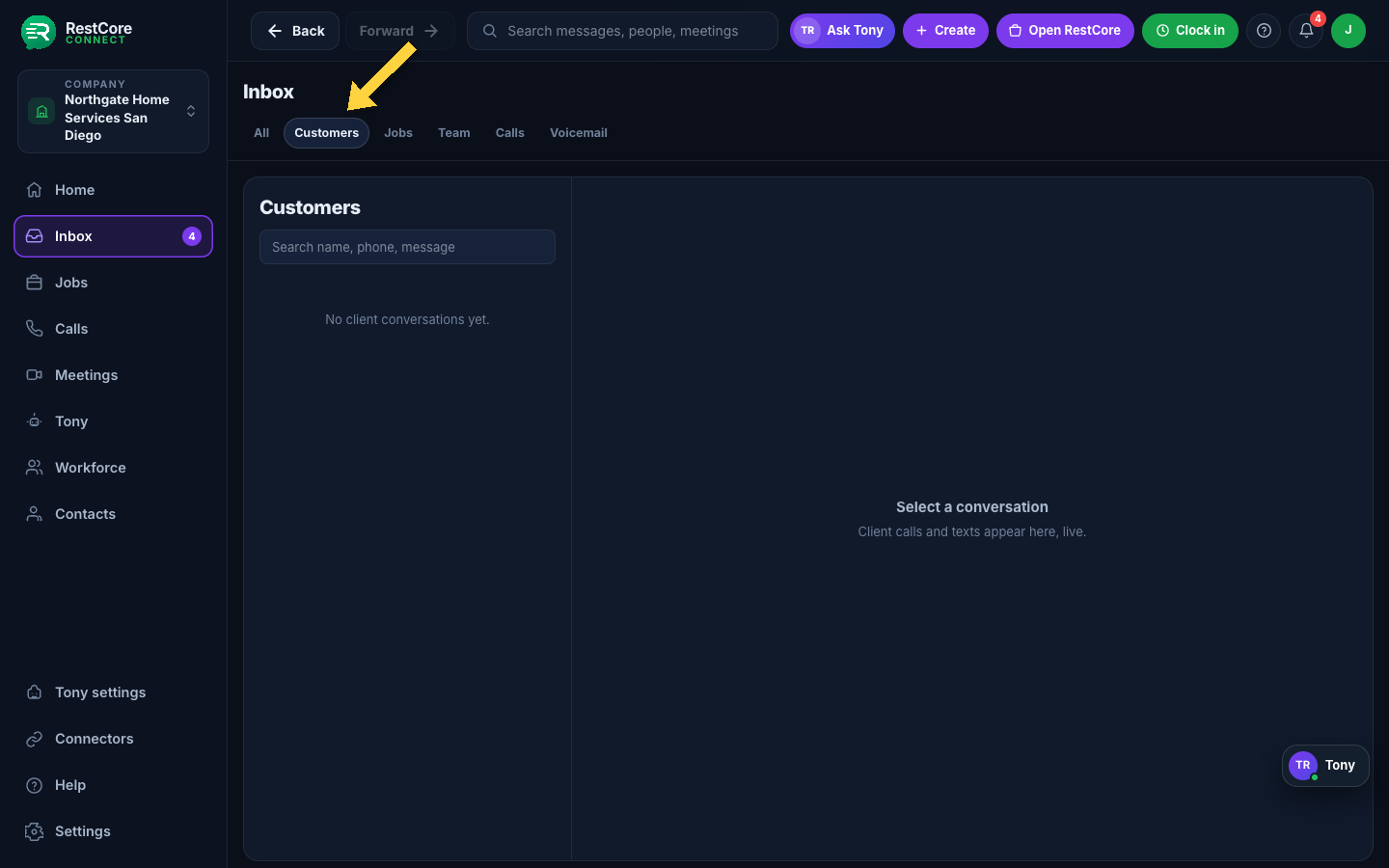
Step 2: Customers and Jobs separate those conversations.

3Team and Calls have their own views

Step 3: Team and Calls have their own views.

4Use Voicemail for voicemail messages
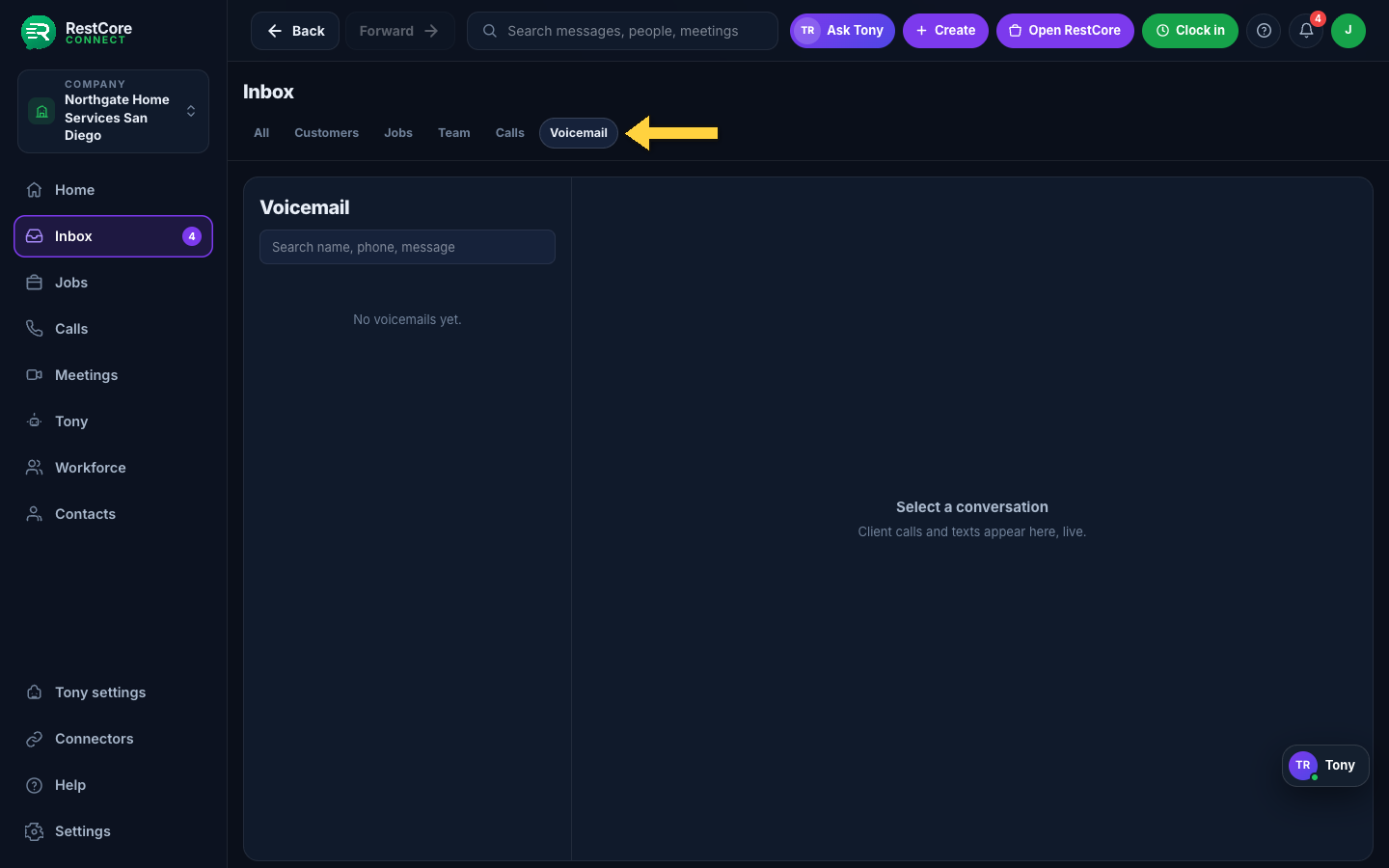
Step 4: Use Voicemail for voicemail messages.

5Open a conversation and check who is in it
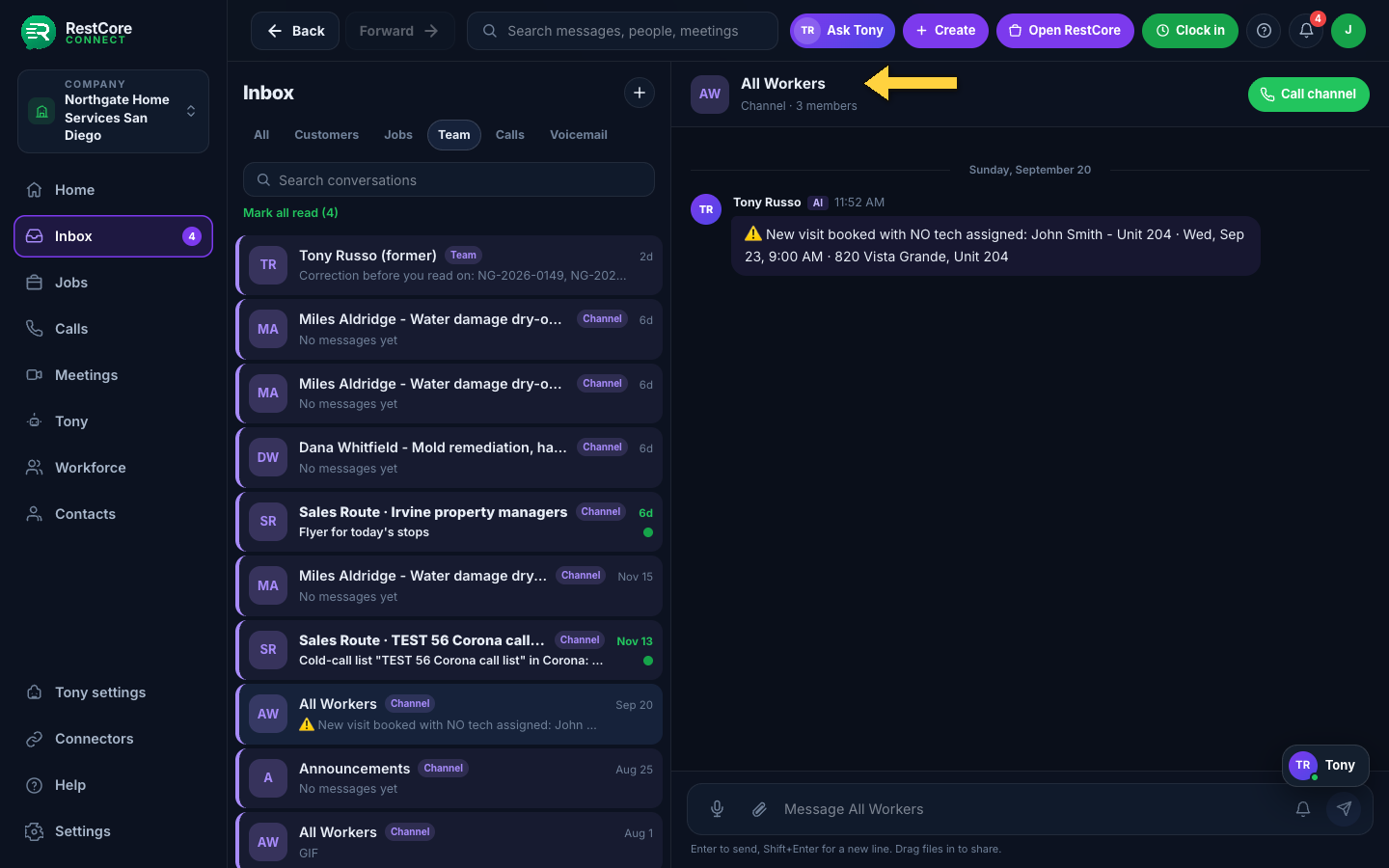
Step 5: Open a conversation and check who is in it.
Was this helpful?

Still stuck?

Ask Tony Russo AI™ in any job chat. He links the right guide. Or reach our team.

Contact support