Skip to content

Help Center

RestCore™ Help Center

Step-by-step guides, short how-to videos, and answers to common questions.

Coming soon as their guides grow: RestCore Connect · Books · Workforce · Compliance Watch

Help Center › Getting Started

Turn Do Not Disturb on and off

A 30-second how-to with the steps and screenshots below.

In this guide

  1. 1On the web, open your picture menu.
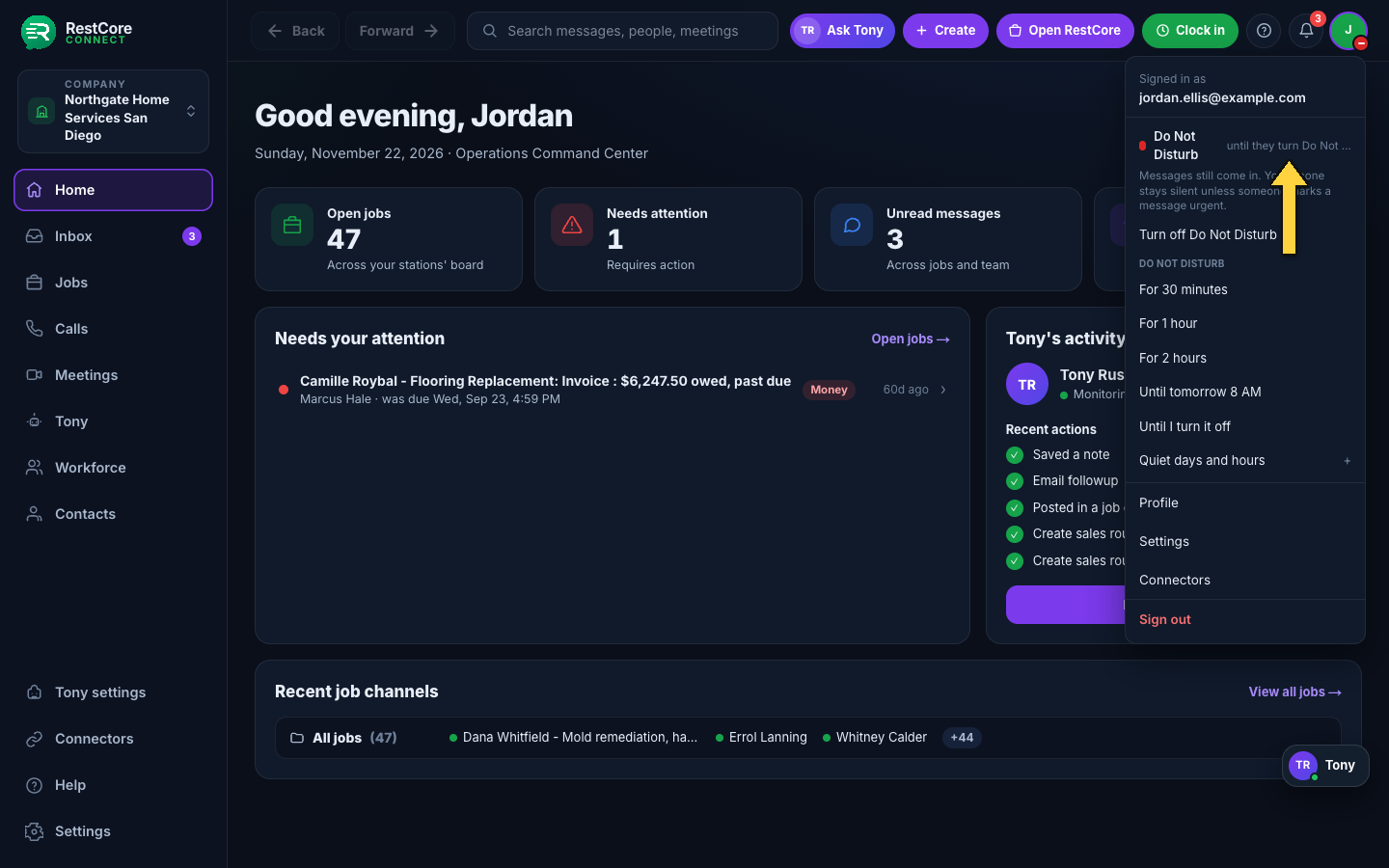
  2. 2Turn Do Not Disturb on.
  3. 3The red dot shows it is on.
  4. 4People messaging you see a notice.
  5. 5Open your picture menu to turn it off.

1On the web, open your picture menu
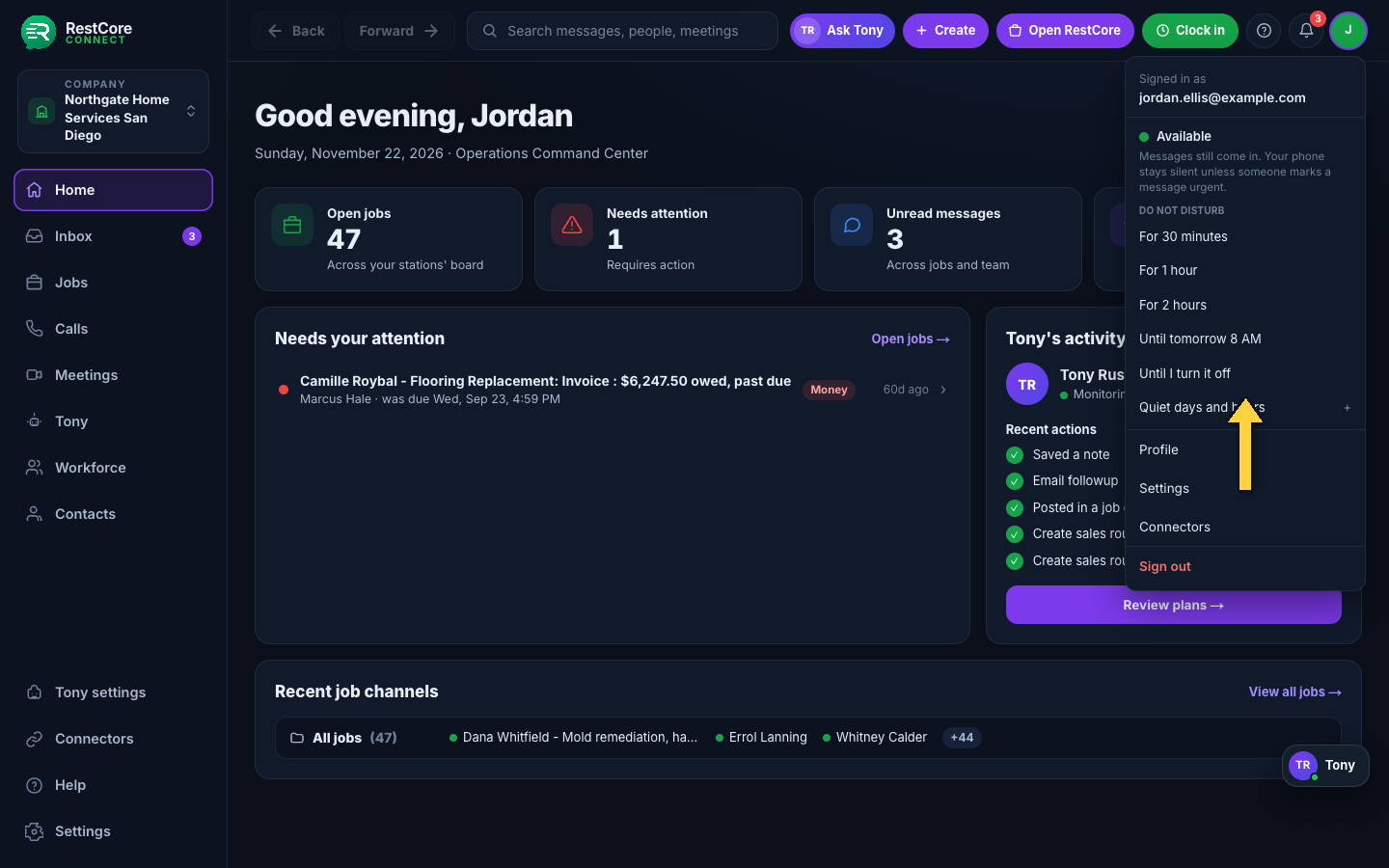
Step 1: On the web, open your picture menu.

2Turn Do Not Disturb on

Step 2: Turn Do Not Disturb on.

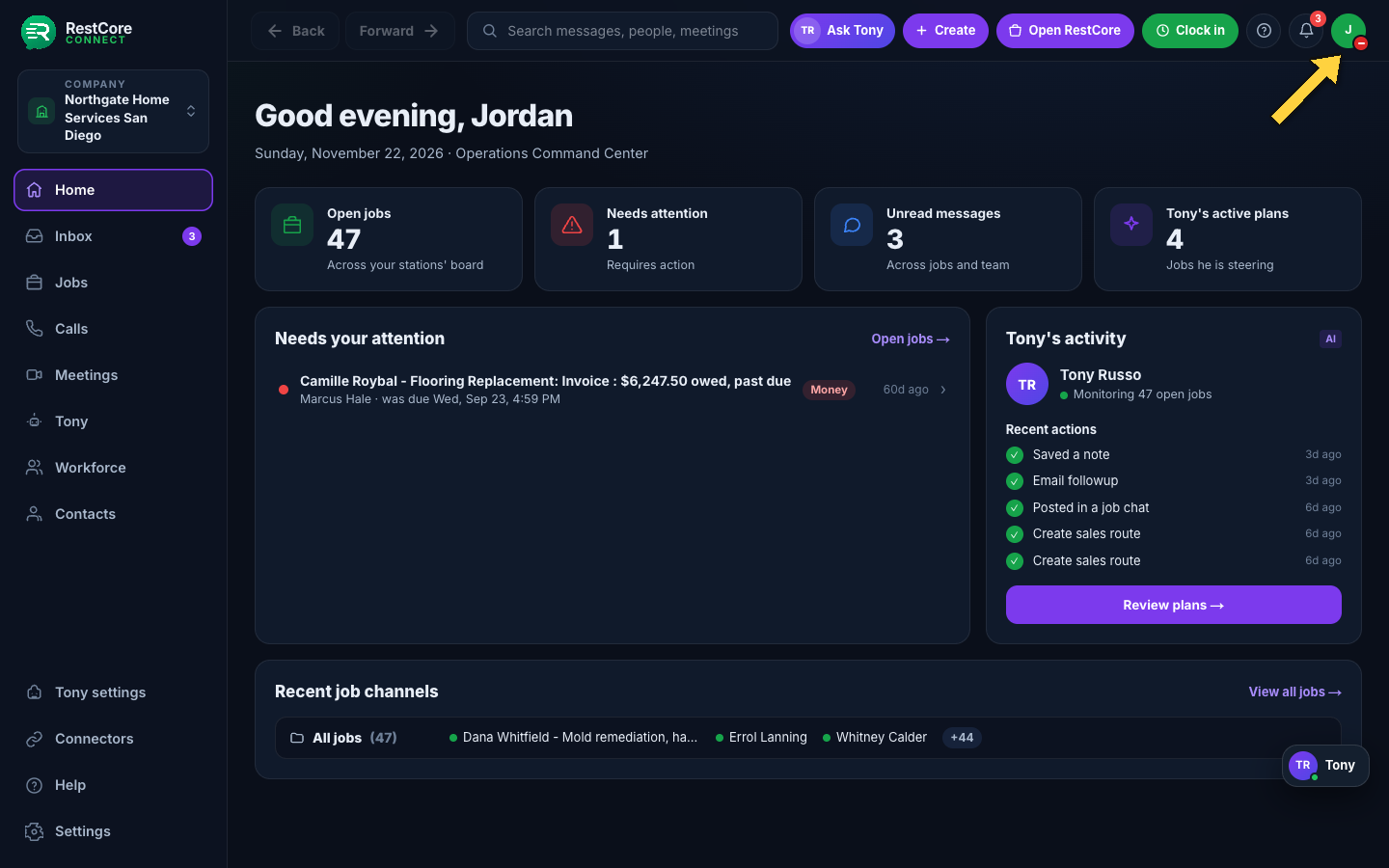
3The red dot shows it is on

Step 3: The red dot shows it is on.

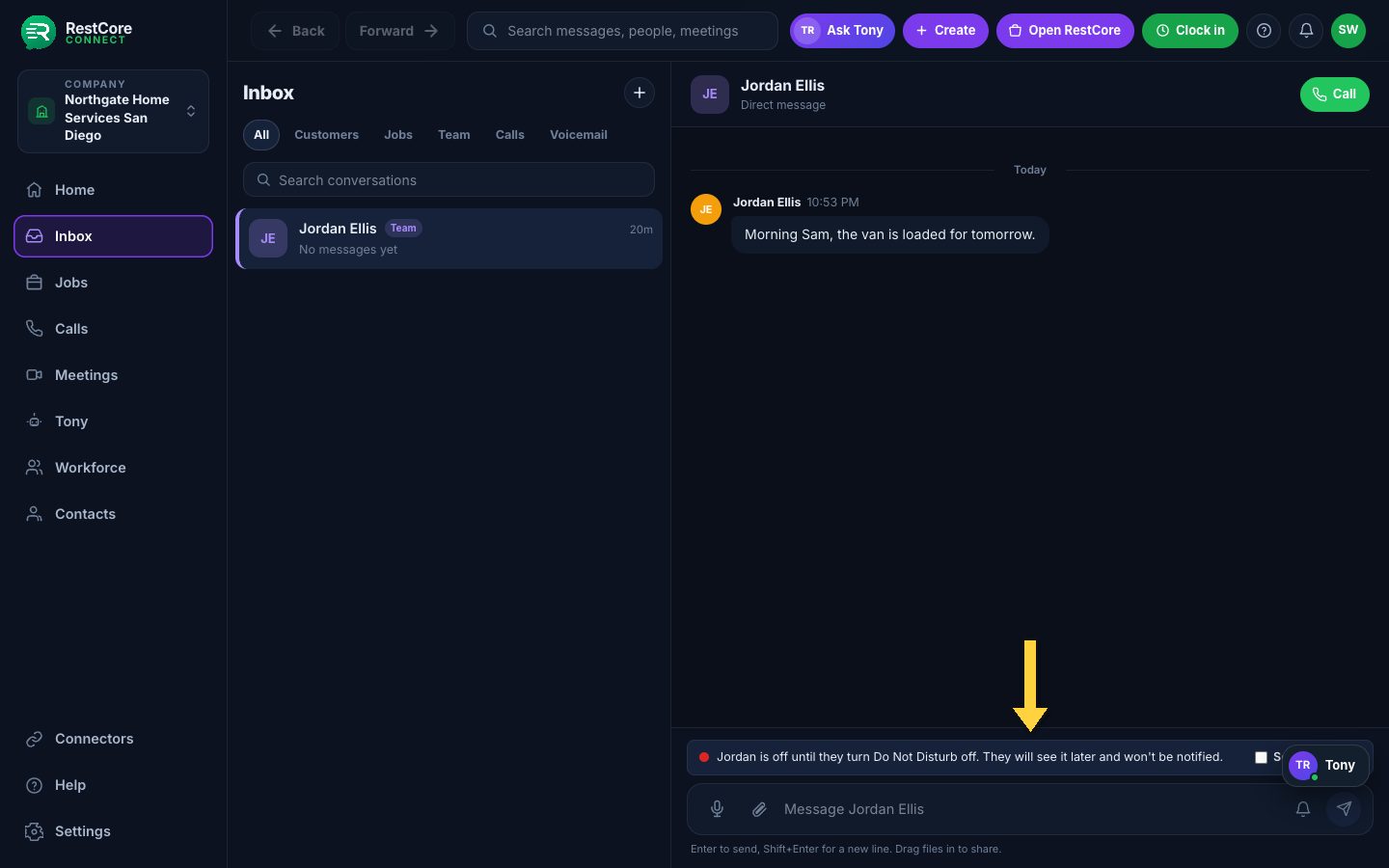
4People messaging you see a notice

Step 4: People messaging you see a notice.

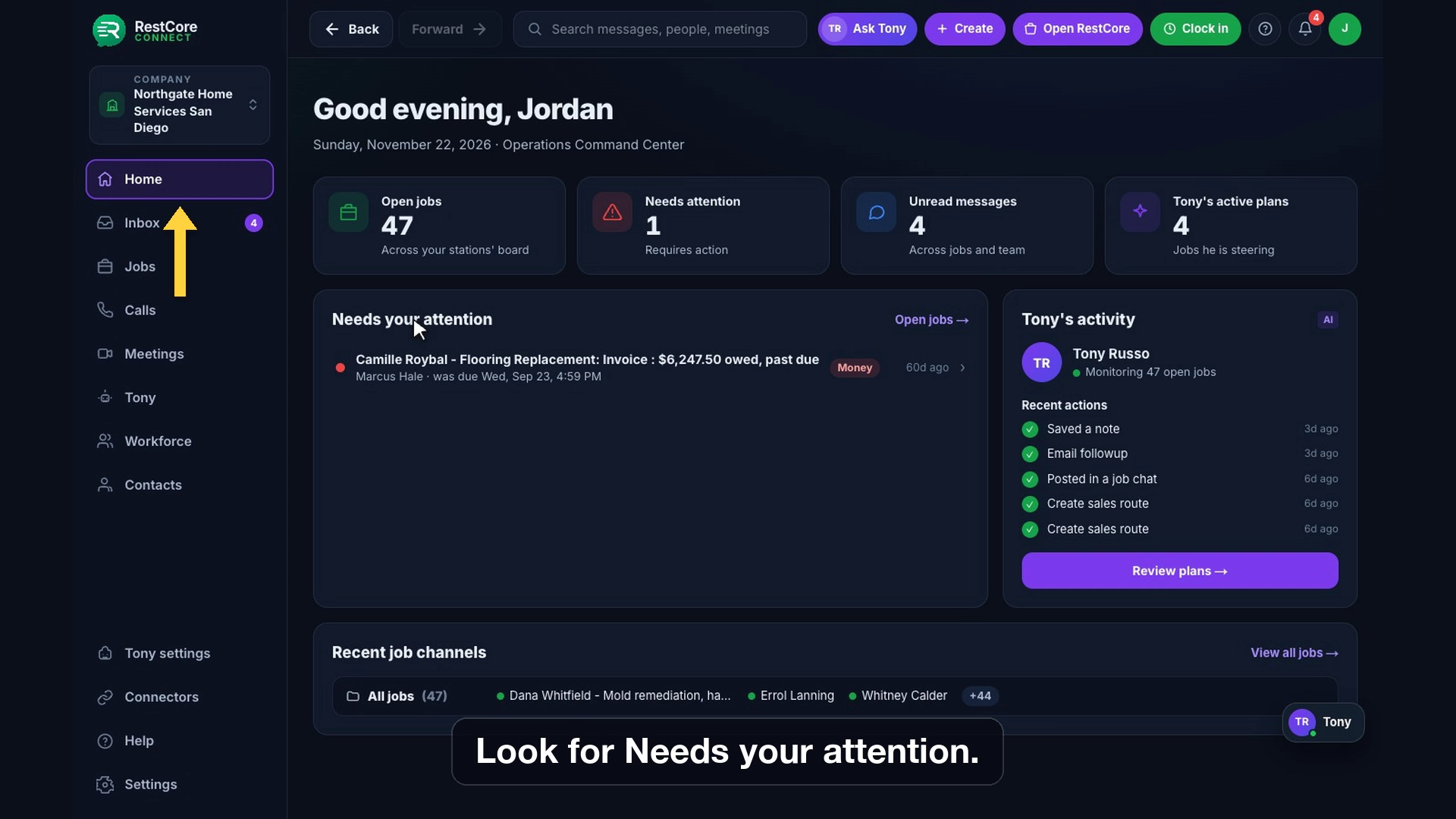
5Open your picture menu to turn it off
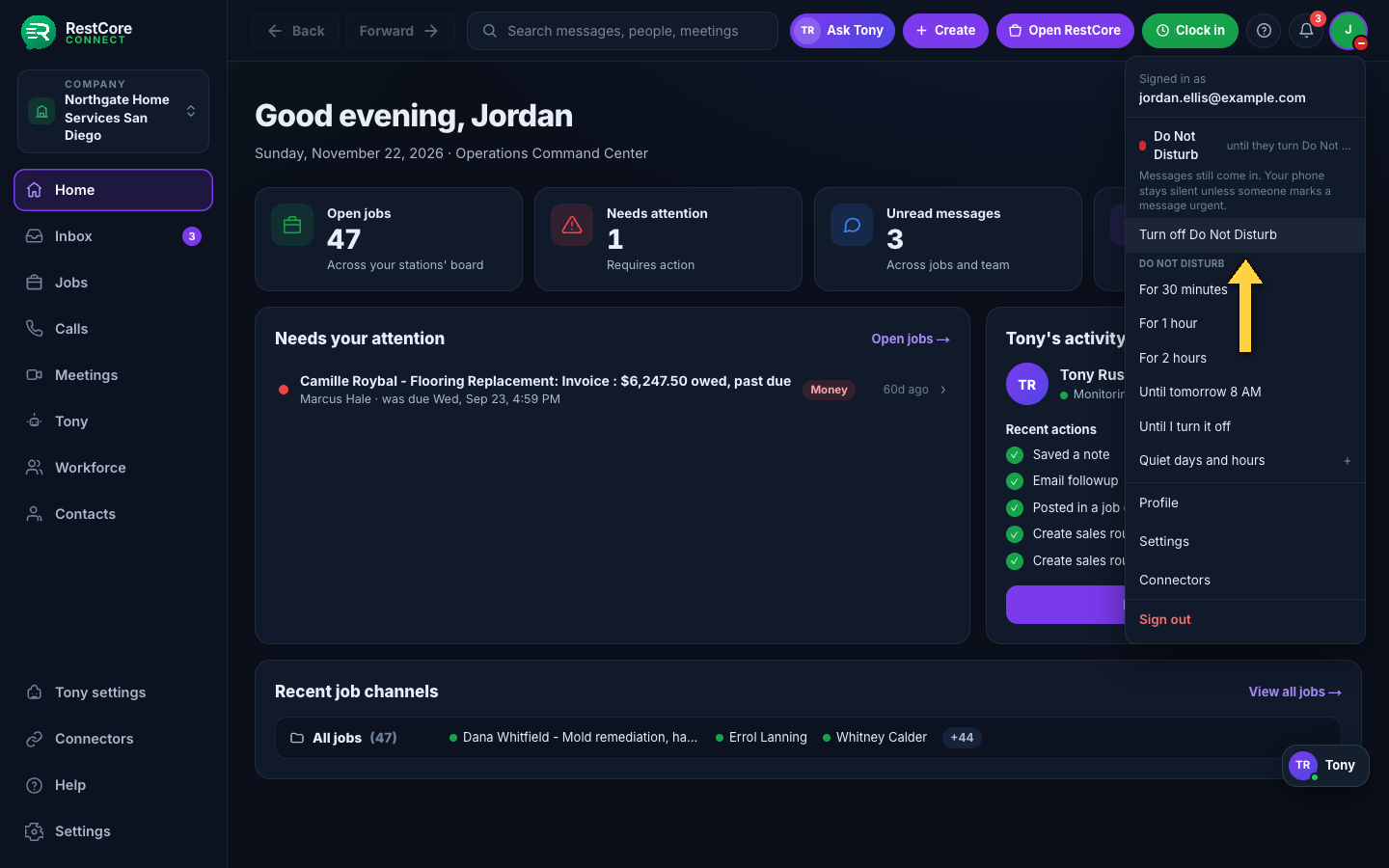
Step 5: Open your picture menu to turn it off.
Was this helpful?

Still stuck?

Ask Tony Russo AI™ in any job chat. He links the right guide. Or reach our team.

Contact support