
Help Center › Estimating
Send an estimate for approval
A 30-second how-to with the steps and screenshots below.
In this guide
- 1On the web, open Send for approval.
- 2Choose how to send the estimate.
- 3Check the estimate and the recipient.
- 4Send the estimate for approval.
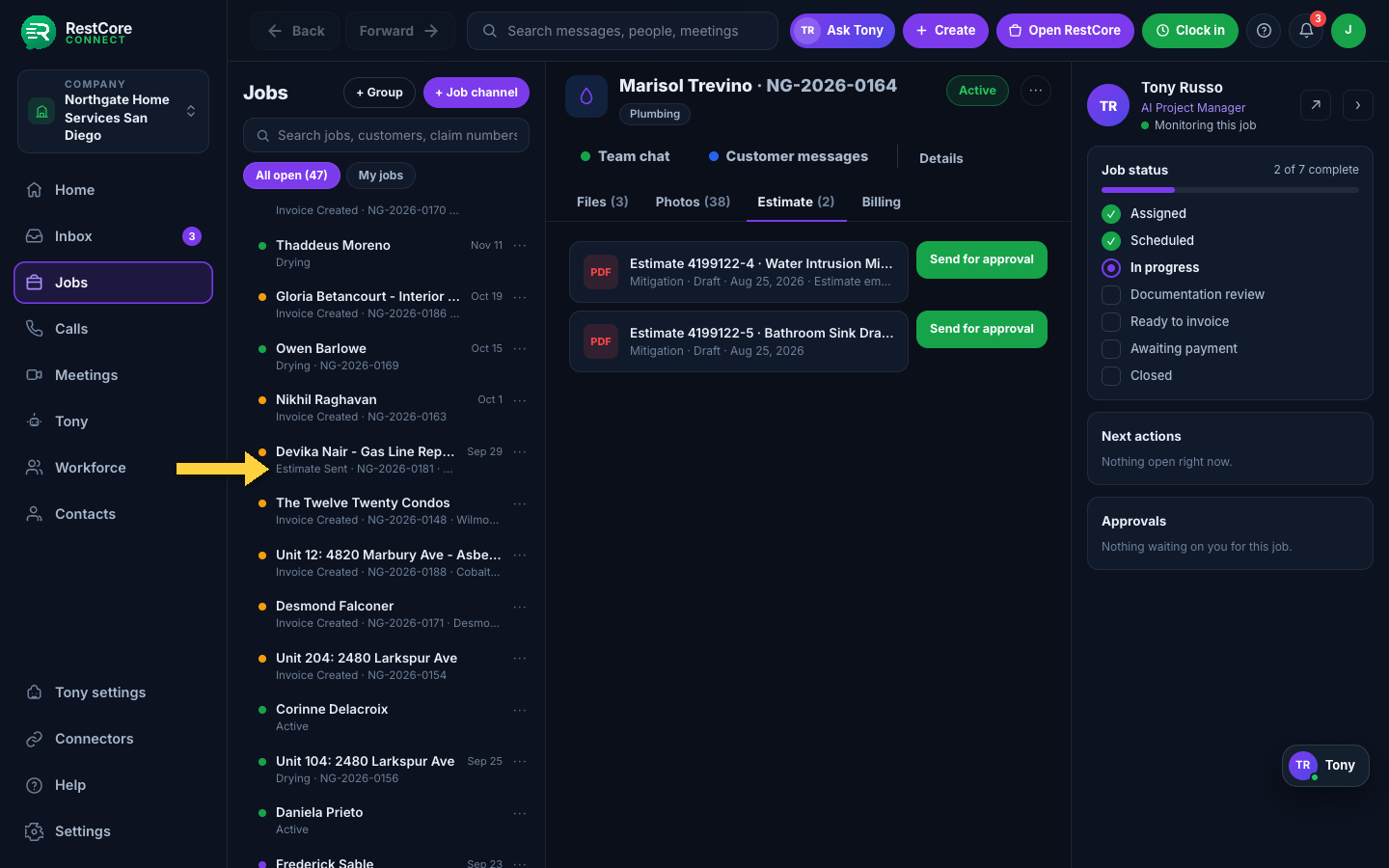
- 5Check its sending status. Approval comes next.
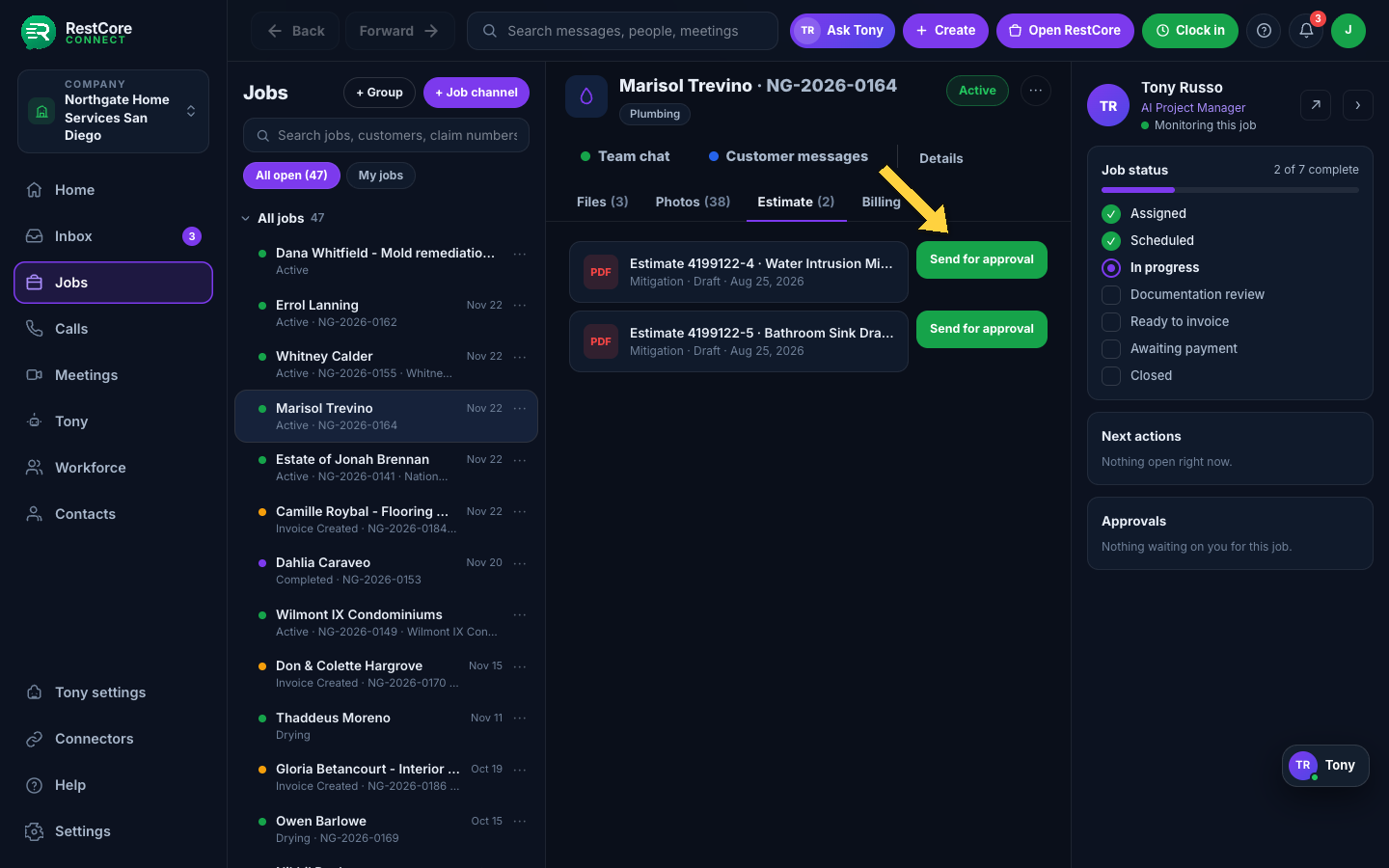
1On the web, open Send for approval
2Choose how to send the estimate
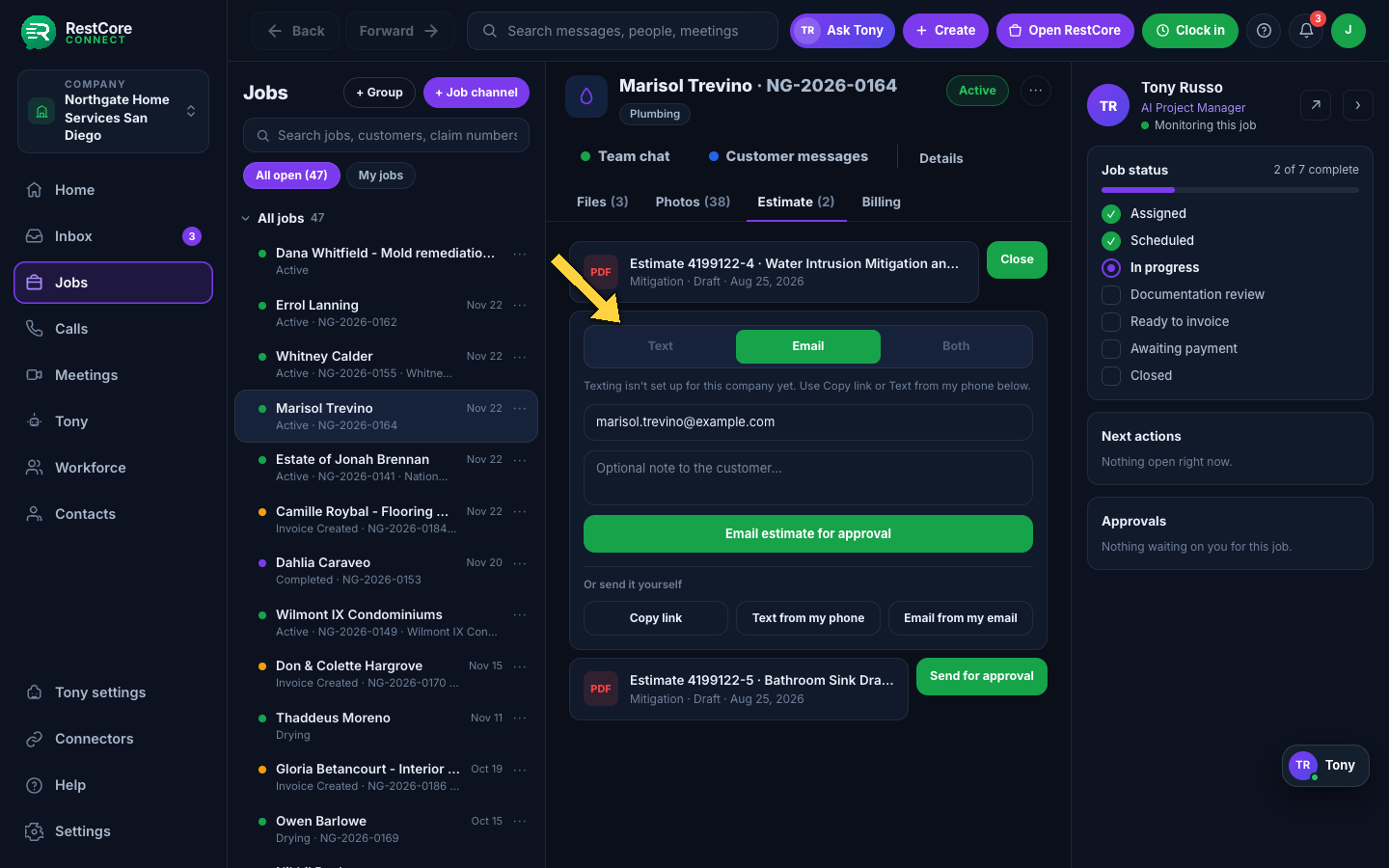
3Check the estimate and the recipient
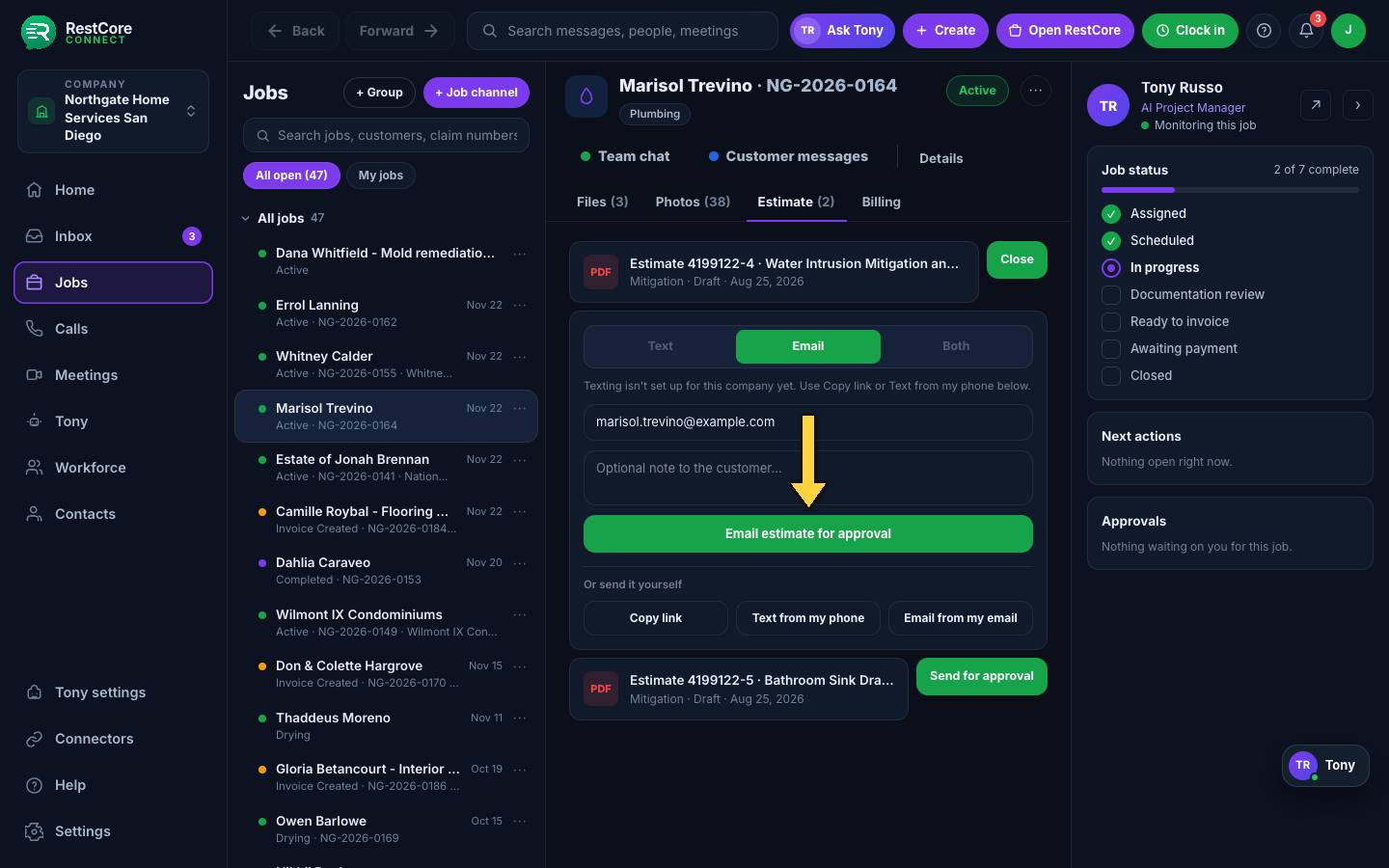
4Send the estimate for approval
5Check its sending status. Approval comes next
Was this helpful?